
ESP
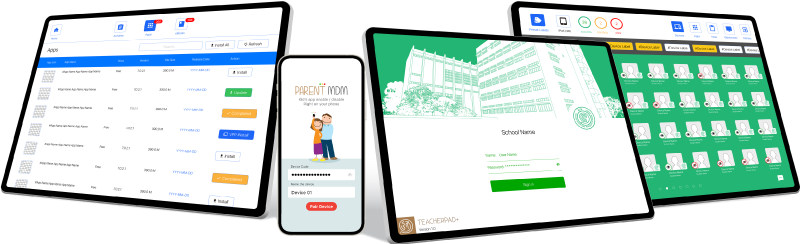
ESP is the best Mobile Device Management (MDM) product for schools and parents by merging mobile device solution, learning management solution, mobile application management (MAM) and parent app into a single unique platform. ESP is also an innovative solution that enable schools to embrace mobile and cloud solutions to drive eLearning efficiency and students’ growth.

TEACHERS
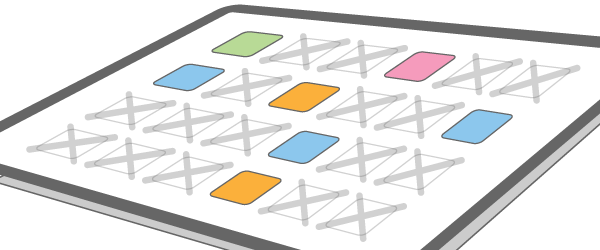
In just a few taps, all students’ devices are restricted to the designated app(s) during the class.

PARENTS
ParSon(ESP Parent MDM) is tailor-made for busy parents to manage their kid’s devices.

ESP TEACHER
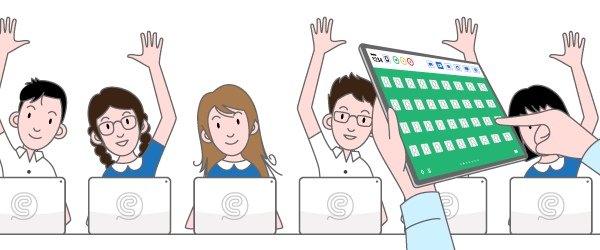
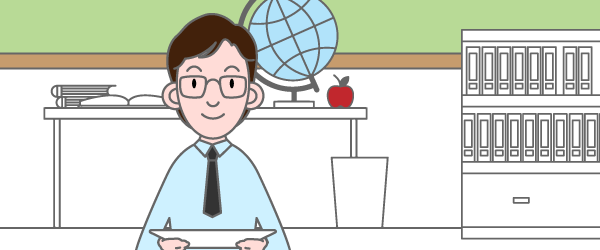
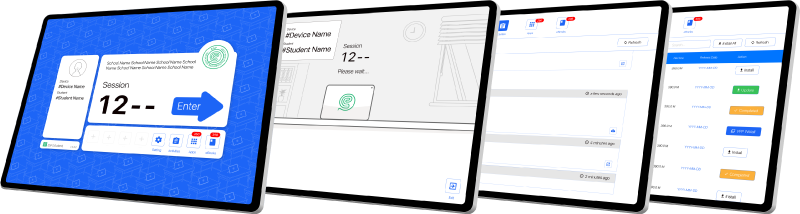
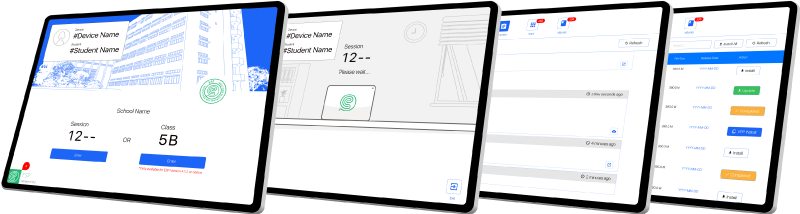
With the help of ESP TeacherPad, teachers can easily control and monitor students’ device. By locking mobile devices, restricting websites, applications, cameras, and other functions, faculty and staff can control each mobile devices, so that students will not be easily distracted and disturbed during class.
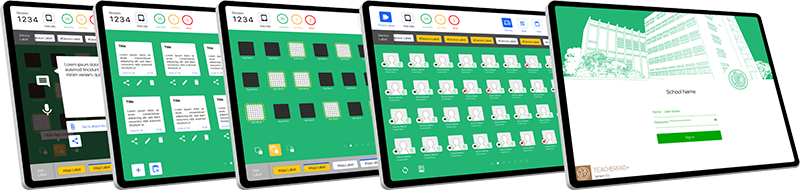
GET STARTED IN CLASS

1. Get ready in some pace.

6. 下課
FEATURES

Whitelisted Apps
Only the Whitelisted apps will be available on student devices. All other apps and associated notifications will be temporarily hidden from view.

Restrictions
The Restrictions can effectively prevent the opening and use of specified device functions.

Preset Labels
In just a few taps, TeacherPad can restricted devices to the designated app(s) specified in the “App Label” and hide any application other than the default, thereby enhancing students’ concentration.

Note
Teachers can instruct students’ devices to open designated whitelisted websites in the ESP browser.

Messages
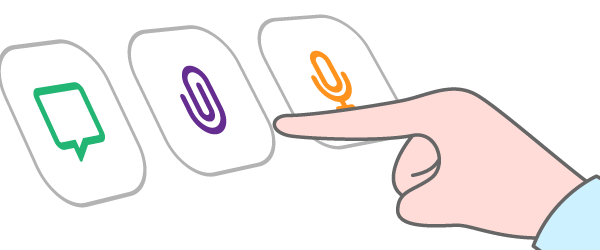
Teachers can send instant messages to student devices, we also support voice messages and multiple file formats.

Blackscreen
The Blackscreen can turn the screen of the student’s device to black, and the student will not be able to use any function of the device.

Mobile Device Info
Battery power, device access space, status, lock status, and device applications can all be easily controlled.

More……
ESP has many other powerful functions, and more functions are coming… Please apply for a fully functional free trial version now to take your teaching to a whole new level!
ESP STUDENTS
The student version of the receiver allows student devices to receive push messages, files and instructions from teachers. ESP also provides students with strict control over personal equipment. Let teachers and students benefit from a healthy interactive e-learning environment.
BYOD
ESP provides 100% supports to the BYOD(Bring Your Own Device) strategy by allowing students to bring their personal devices to schools for studying purposes. The ultimate goal is “One Student One Device”.
ESP PARENTS
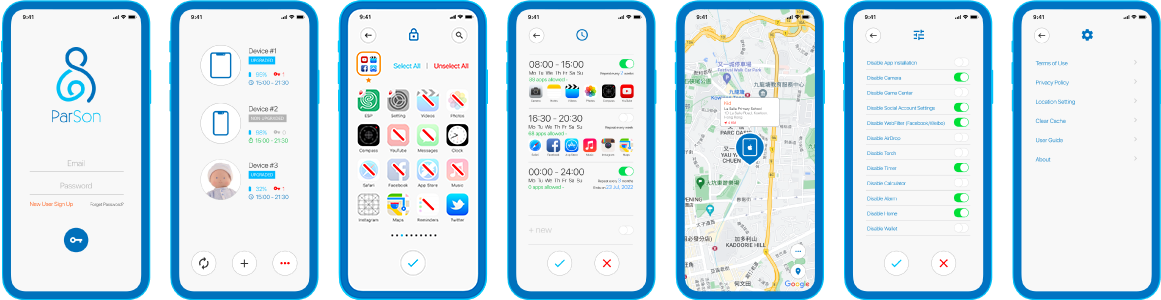
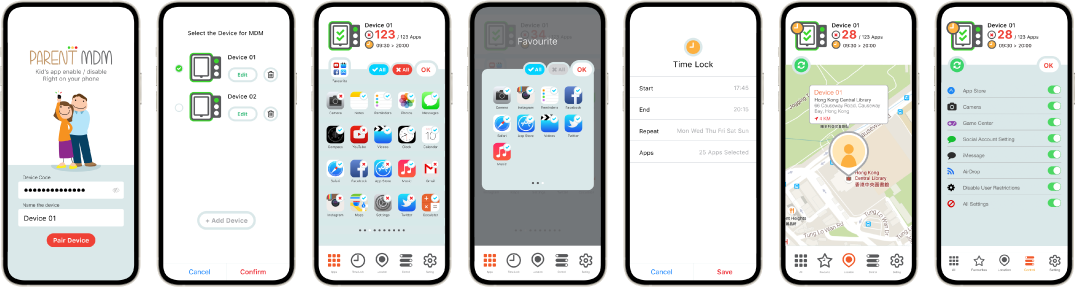
ParSon(ESP Parent MDM) helps parents to take control of the ESP MDM devices at home. With ParSon, parents can manage all the apps in kid’s device which can assists parents to foster kids with good behavior and balanced school-leisure time.

App Monitoring
Monitor the Internet and application usage of children’s mobile devices anytime and anywhere.

Schedules
When your child is online, the free time of the device is automatically restricted. Set the Time Lock for the time to go to bed, school time or any time you like the device to be restricted.

Locator
If you need to pay close attention to your child’s safety, find lost equipment or coordinate children’s pick up, “ParSon (Parent MDM)” is definitely your best choice.

Control
The “Control” function can prevent the opening and use of specified device functions.
ESP
ESP是適合學校和家長的最佳流動設備管理(MDM)產品。ESP將流動設備管理方案、學習管理解決方案,流動應用程式管理(MAM)和家長應用程式組合到獨一的平台中。ESP創新的解決方案,使學校能夠採用流動設備和雲端科技來提高電子學習的效率,幫助學生成長。
ESP 教師專用
借助 ESP TeacherPad,教師可以輕易掌握和監控制學生的平板電腦,透過鎖定流動設備、限製網站、應用程序、相機等功能,使教職員工可以控制每部平板電腦,令上課時不再輕易分心和受干擾。
使用流程
1. 預備好課堂
6. 下課
功能
應用程式白名單
學生平板電腦上僅提供已列入白名單的應用程式,所有其他應用程序和相關通知將被暫時隱藏。
限制功能
限制功能可有效防止開啟和使用指定的設備功能。
預設課堂
只需幾個按鍵,TeacherPad 即可鎖定在“應用標籤”中指定的應用程式,並隱藏預設以外的任何應用程式,從而提昇學生的專注。
筆記
教師可以指示學生的平板電腦在 ESP 瀏覽器中打開指定的白名單網站。
短訊
教師可以將即時訊息傳送到學生設備,同時支援語音訊息和多種文件格式。
黑屏
黑屏指令能使學生設備屏幕轉黑,並且學生將無法使用已黑屏設備的任何功能。
流動設備資訊
電池電量,設備存取空間、狀態、鎖定情況,設備的應用程式均可以輕鬆掌控。
更多⋯⋯
ESP 還有許多其他強大功能,並將推出更多開發中的新功能⋯⋯,請立即申請功能齊全的免費試用版,將您的教學提昇至全新的水平!
ESP 學生專用
學生版的接收器,讓學生設備接收教師的推送消息、文件和指令。ESP 還為學生提供了對個人設備的嚴格控制。讓老師和學生在健康的互動式電子學習環境受益。
BYOD
ESP 通過協助學生將個人流動設備帶到學校進行學習,為 BYOD(自帶設備)方案提供100%的支援。協助實踐院校“一人一機”的最終目標。
ESP 家長專用
「ParSon(家長 MDM)」運用 MDM 的功能為父母提供流動設備管理及控制。使家長能夠監控設備的應用程式和設備功能。可讓孩子們照常使用他們的平版電腦,而無需另尋覆雜的解決方案。
監控應用程式
隨時隨地監控孩子流動設備的上網和應用程式的使用。
時間鎖
當您的孩子在線時,自動限制應用程式的使用時限。設定時間鎖可制定就寢時間、上學時間或您喜歡的任何時間的設備使用權限。
設備定位
若您需要密切注意孩子的安全、尋找丟失的設備或協調接送服務,「家長 MDM」絕對是您的不二之選。
功能控制
“控制”功能可阻止開啟和使用指定的設備功能。
ESP
ESP是適合學校和家長的最佳流動設備管理(MDM)產品。ESP將流動設備管理方案、學習管理解決方案,流動應用程式管理(MAM)和家長應用程式組合到獨一的平台中。ESP創新的解決方案,使學校能夠採用流動設備和雲端科技來提高電子學習的效率,幫助學生成長。
ESP 教師專用
借助 ESP TeacherPad,教師可以輕易掌握和監控制學生的平板電腦,透過鎖定流動設備、限製網站、應用程序、相機等功能,使教職員工可以控制每部平板電腦,令上課時不再輕易分心和受干擾。
使用流程
1. 預備好課堂
6. 下課
功能
應用程式白名單
學生平板電腦上僅提供已列入白名單的應用程式,所有其他應用程序和相關通知將被暫時隱藏。
限制功能
限制功能可有效防止開啟和使用指定的設備功能。
預設課堂
只需幾個按鍵,TeacherPad 即可鎖定在“應用標籤”中指定的應用程式,並隱藏預設以外的任何應用程式,從而提昇學生的專注。
筆記
教師可以指示學生的平板電腦在 ESP 瀏覽器中打開指定的白名單網站。
短訊
教師可以將即時訊息傳送到學生設備,同時支援語音訊息和多種文件格式。
黑屏
黑屏指令能使學生設備屏幕轉黑,並且學生將無法使用已黑屏設備的任何功能。
流動設備資訊
電池電量,設備存取空間、狀態、鎖定情況,設備的應用程式均可以輕鬆掌控。
更多⋯⋯
ESP 還有許多其他強大功能,並將推出更多開發中的新功能⋯⋯,請立即申請功能齊全的免費試用版,將您的教學提昇至全新的水平!
ESP 學生專用
學生版的接收器,讓學生設備接收教師的推送消息、文件和指令。ESP 還為學生提供了對個人設備的嚴格控制。讓老師和學生在健康的互動式電子學習環境受益。
BYOD
ESP 通過協助學生將個人流動設備帶到學校進行學習,為 BYOD(自帶設備)方案提供100%的支援。協助實踐院校“一人一機”的最終目標。
ESP 家長專用
ESP 使用 MDM 的功能為父母提供流動設備管理及控制。使家長能夠監控設備的應用程式和設備功能。可讓孩子們照常使用他們的平版電腦,而無需另尋覆雜的解決方案。

監控應用程式
隨時隨地監控孩子流動設備的上網和應用程式的使用。

時間鎖
當您的孩子在線時,自動限制應用程式的使用時限。設定時間鎖可制定就寢時間、上學時間或您喜歡的任何時間的設備使用權限。

設備定位
若您需要密切注意孩子的安全、尋找丟失的設備或協調接送服務,「家長 MDM」絕對是您的不二之選。

功能控制
“控制”功能可阻止開啟和使用指定的設備功能。